
If you’ve followed my blog for any length of time, you already know I’m a firm believer that there isn’t always one “right” way to take a photo. Sometimes the best picture is the one you almost didn’t take. Today’s tip is one of the easiest ways to completely change the look of your photos by switching your iPhone camera lens.
This post may contain affiliate links. If you use these links to purchase something I may earn a small commission at no cost to you. You can read my full disclaimer here.
Switch Between Your Camera Lenses
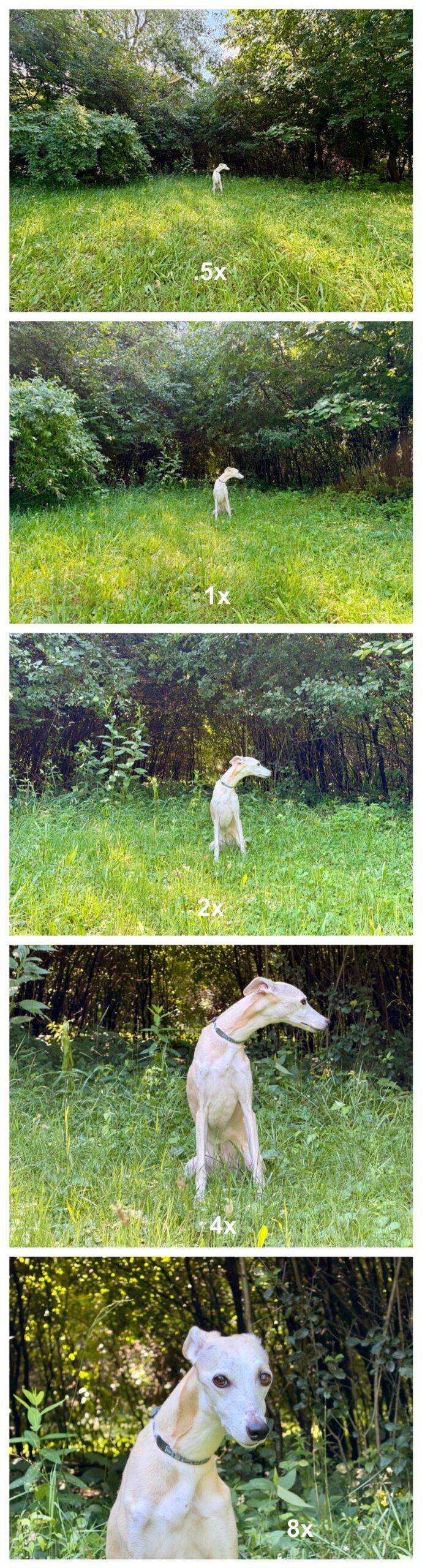
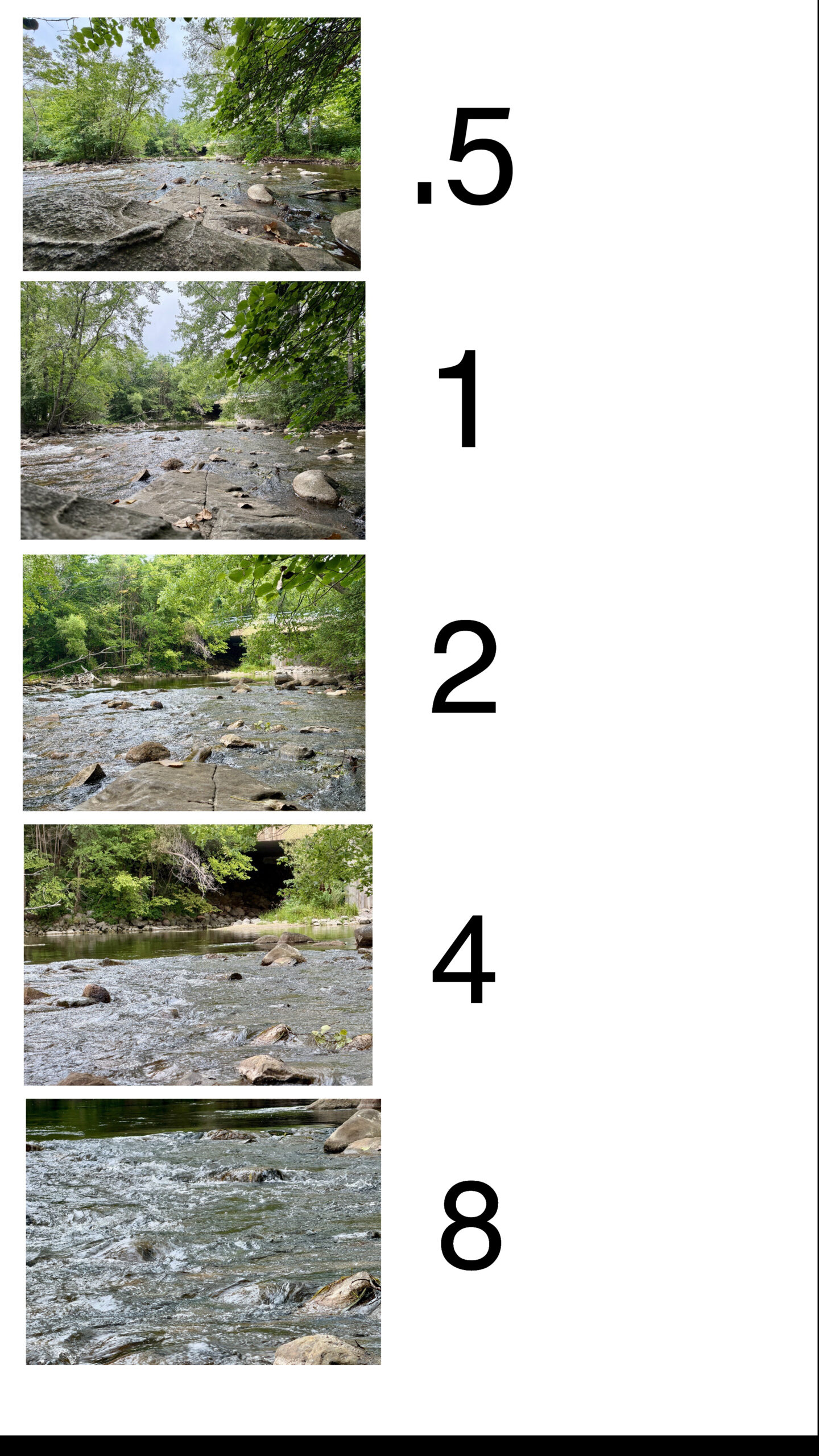
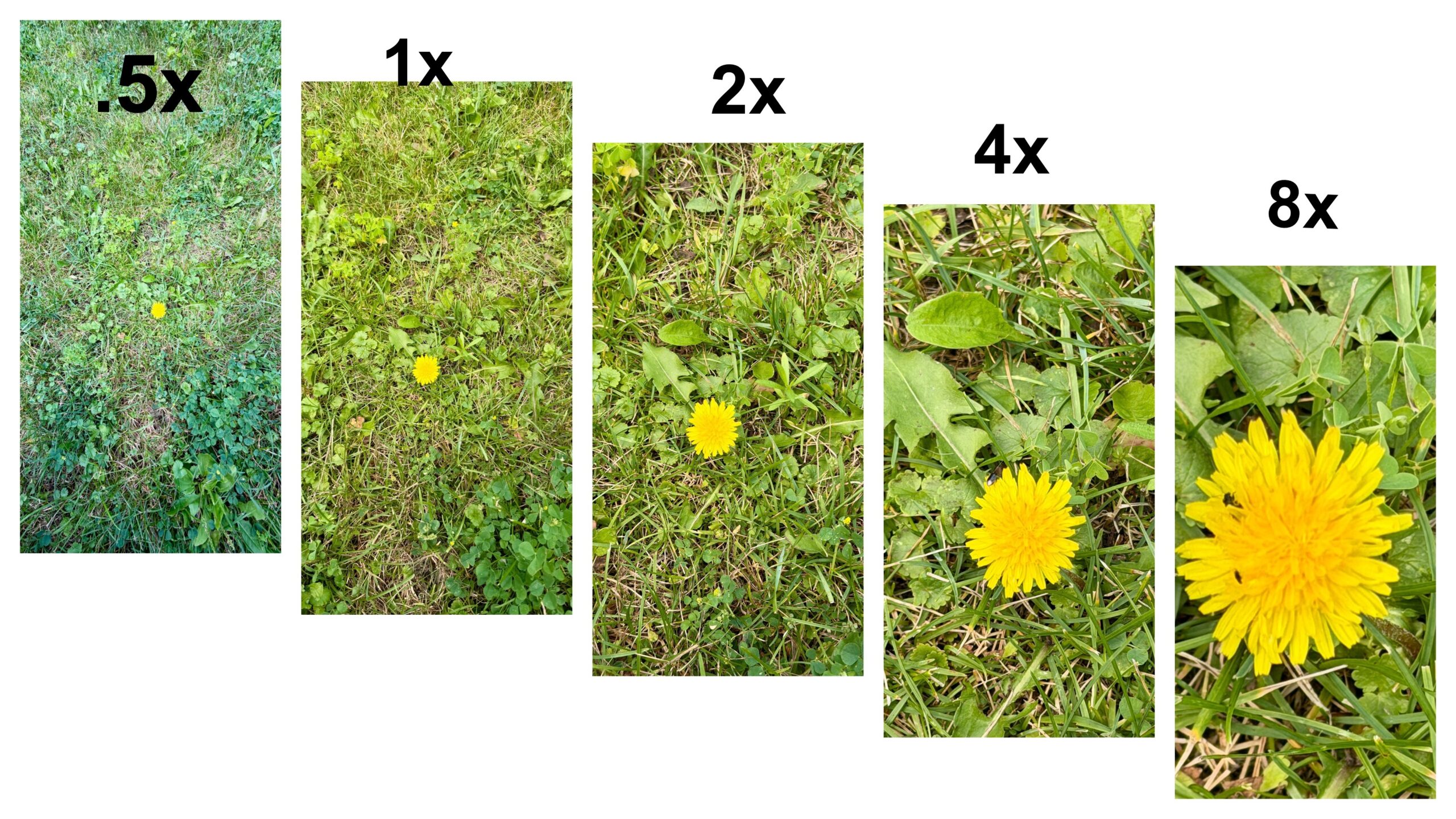
On my iPhone 17 Pro Max (and the iPhone 16 Pro Max), I can quickly switch between these lenses: 0.5x (Ultra Wide), 1x (Main Camera), 2x, 4x, 8x. If you have an older iPhone, don’t panic. You may have fewer lens options depending on which model you own. The idea is exactly the same—use every lens you have.
Before taking the photo, tap on your subject to make sure your camera focuses where you want it. It’s one tiny step that makes a huge difference.
Take the Same Photo…Five Different Ways
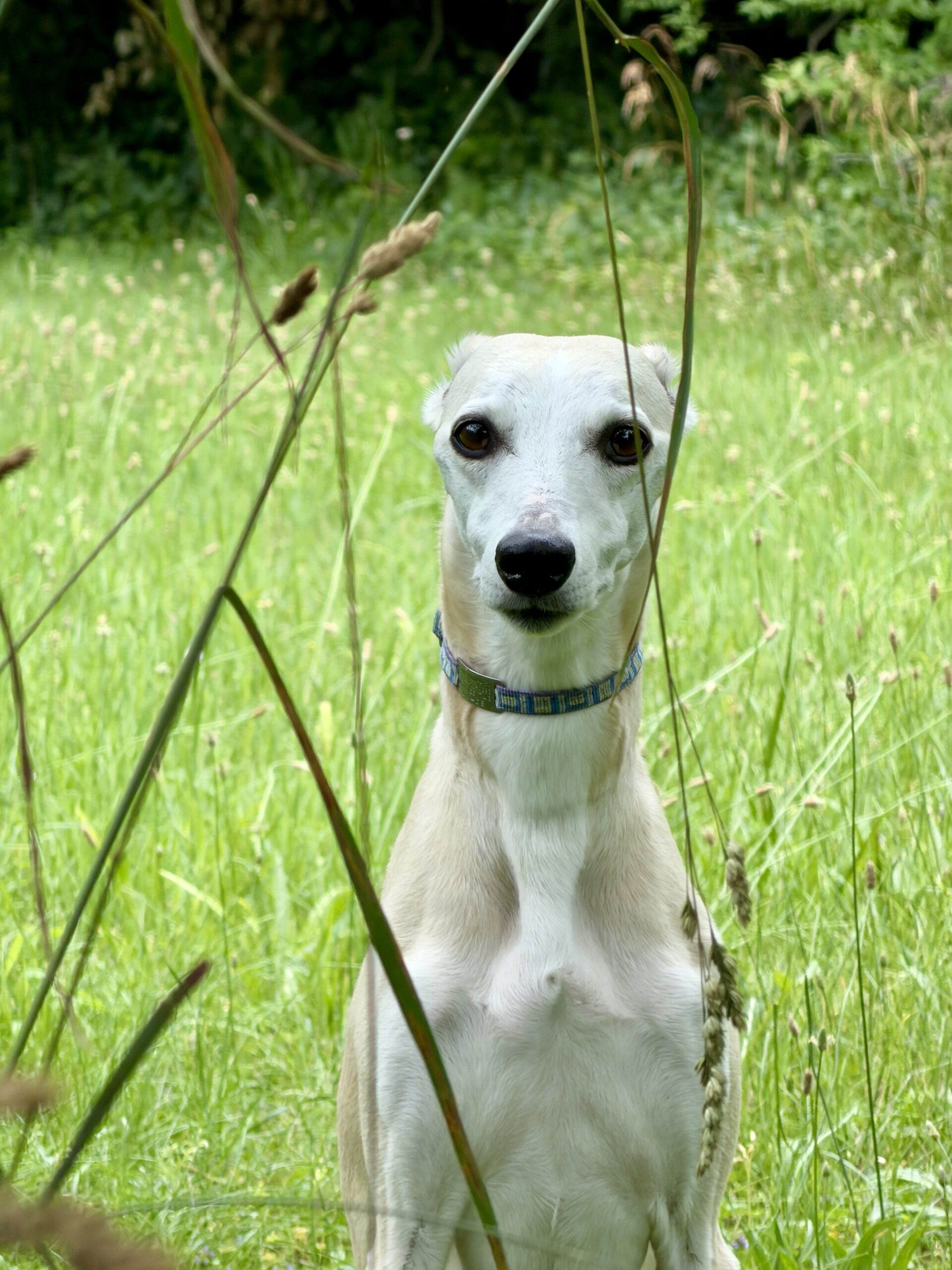
Here’s the fun part. Find one subject—maybe your dog (Maizie is usually my willing…or unwilling?…model), a flower, something downtown in a city, or whatever catches your eye. Now take the exact same photo using every available lens on your phone.
Will every picture be amazing? Nope. Some might look awkward. Some may crop too much. Some may include way more background than you expected. But every once in a while you’ll look at one of those photos and think…“Well…I wasn’t expecting THAT one to be my favorite.”
That’s why I experiment. Photography isn’t about getting it perfect every single time. It’s about giving yourself options.
Tell a Story With Your Lenses
One of my favorite ways to use different lenses is to create a visual story. Let’s say you’re photographing Maizie.
- 0.5x – Entire landscape with Maizie in the background.
- 1x – A natural photo of Maizie giving a side eye
- 2x – Get a little closer without walking into her personal space (because apparently dogs have boundaries too).
- 4x – Capture her face, or that “Are we done yet?” expression.
- 8x – Zoom in on her face for a detail shot.
Now you’ve gone from taking one photo…to telling the whole story of the adventure. Make sure you tap on subject to focus. And…I didn’t follow my own instructions but what I did with all of the lenses is below. The same idea works for flowers, buildings, travel destinations, wildlife, food, or pretty much anything else you point your camera at.
My Challenge to You
The next time you’re out, don’t settle for one picture. Take five. Switch lenses. See what happens. You might discover your favorite image was hiding behind a button you usually ignore.
And if not? Congratulations—you spent an extra 20 seconds taking pictures. I’ve definitely wasted more time doing dumber things LOL.
———————-
I am a spirited Country/Hillbilly/Ghetto/City girl blogger from Chelsea, MI who thrives on adventure, creativity and exploring the world through the lens of my camera (even if it’s my phone). When I’m not chasing sunsets and amazing views, I spend time with my heart dog Maizie. If travel, creativity and a dash of blunt honesty (with the occasional F-bomb) sparks your curiosity, you are in the right place. ~ Stressie Flavis