

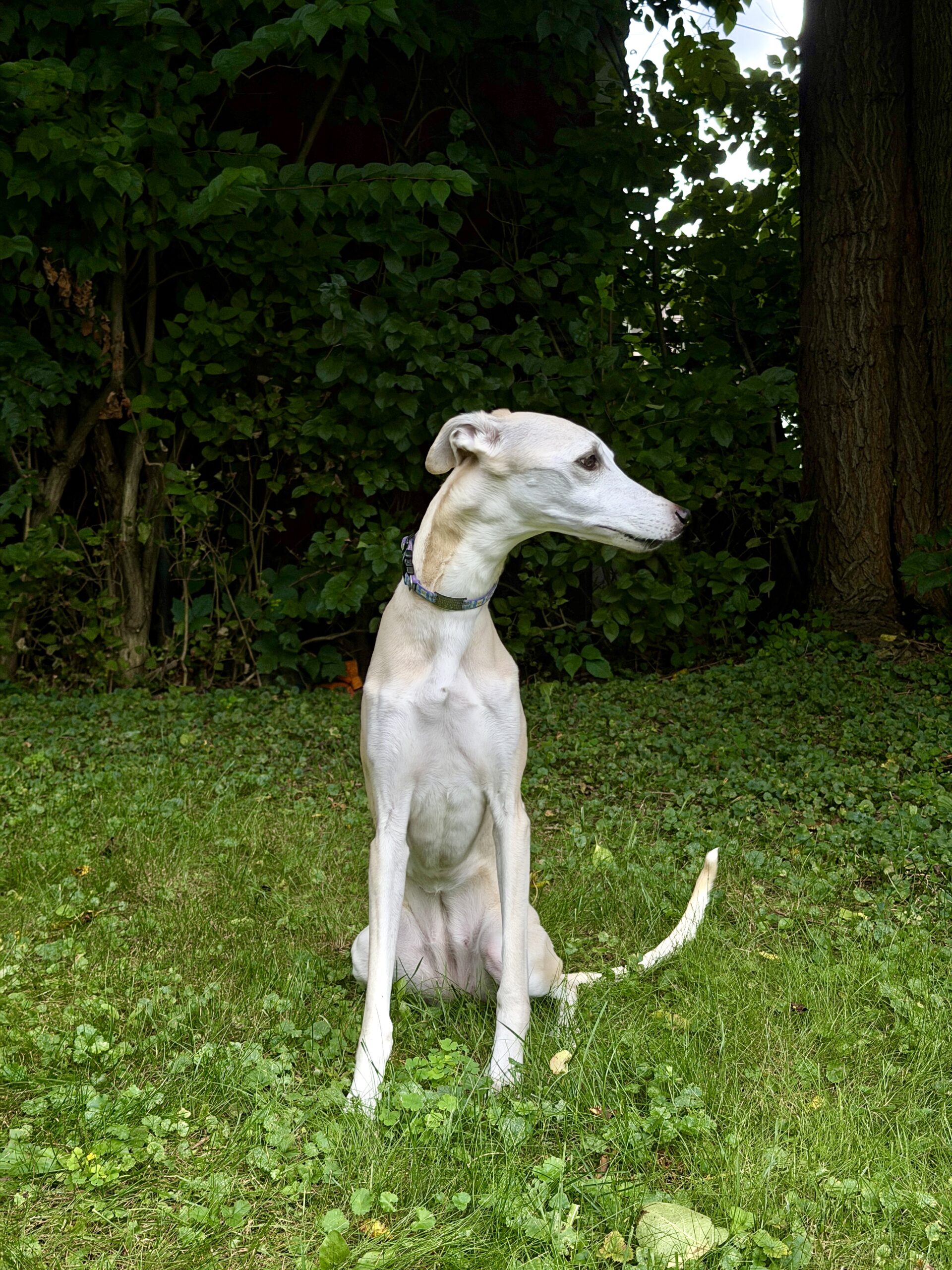
Raise your hand if you’ve ever lined up the perfect shot… and then your iPhone decided, “Nah… let’s make everything brighter.” Yeah. Same. One of the most underrated camera features on the iPhone is AE/AF Lock, and once you start using it, you’ll wonder why you didn’t learn it sooner.
AE is Auto Exposure, and AF is Auto Focus. It keeps your camera from constantly changing focus and brightness every time you move your phone or your subject decides to not follow instructions. If you’ve ever tried photographing a dog like Maizie who moves at the exact wrong moment (which is basically every moment), you’ll appreciate this one.
This post may contain affiliate links. If you use these links to purchase something I may earn a small commission at no cost to you. You can read my full disclaimer here.
How to Lock Focus & Exposure
It’s ridiculously easy.
- Open the Camera app.
- Tap and hold on your subject.
- Keep holding until you see “AE/AF Lock” appear at the top of the screen.
- Slide your finger up or down to brighten or darken the image.
- Press the shutter button.
The best part? You can take multiple photos without the camera constantly changing its mind about what should be in focus or how bright everything should be. It’s basically telling your iPhone, “Sit. Stay.”
When I Use It
Here are some of my favorite situations:
- Pets that refuse to cooperate.
- Silhouettes against a bright sky.
- Travel photos where the sky keeps turning into one giant white blob.
- Street photography (including downtown Chelsea when I want the exposure to stay consistent while I change my composition.)
- People walking through your frame.
- Anything with backlighting.
Once On Move Your Phone (or keep your moving subject in focus)
Once AE/AF Lock is on, don’t be afraid to move your phone around. Keep your subject locked, then shift your composition. Move a little left, Move a little right. Get lower. Get higher.
Suddenly you’re creating completely different photos without your iPhone changing the brightness every two seconds. Sometimes the best photo isn’t where you first stood.
Don’t Forget About the Brightness Slider
This is the part a lot of people miss. After you’ve locked focus, slide your finger: ⬆️ Up to brighten the photo. ⬇️ Down to darken it. This is especially helpful for sunsets, silhouettes, or scenes with bright skies where the camera wants to overcompensate. A tiny adjustment can completely change the mood of your image.
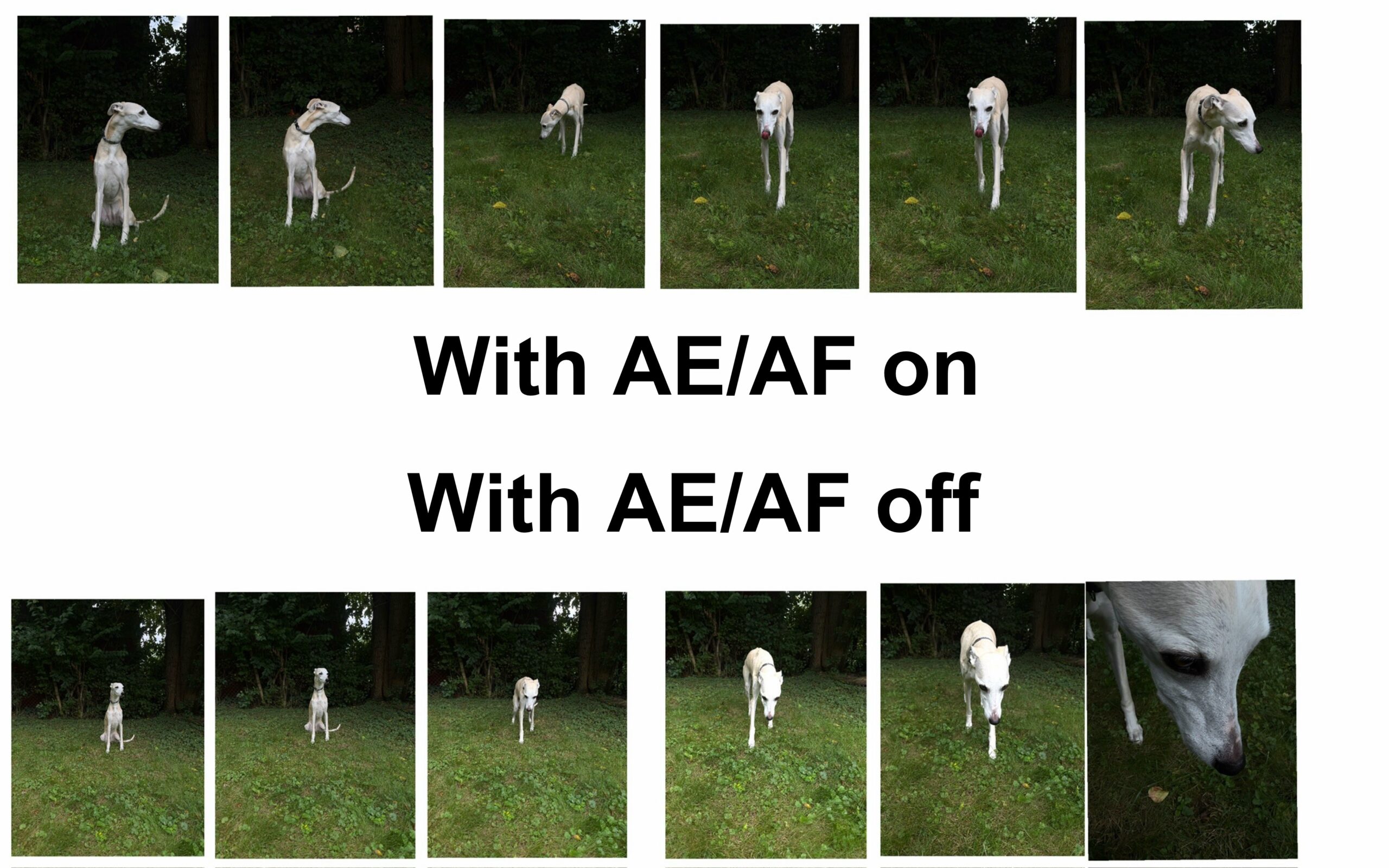
Below are sample pics of Maizie – obviously she posed and acted different but you can see the ones with the AE/AF on are different from the ones with it off. With it on the pics are pretty much the same. With it off they go from normal, to light, to dark – depending on where she is.
Final Thoughts
AE/AF Lock gives you control instead of letting your phone make all the decisions. So the next time your camera starts acting like it can’t decide what it wants to do, lock the focus, lock the exposure, adjust the brightness, and take all of the shots you want.
Because life’s too short to let your iPhone screw up a perfectly good photo.
———————-
I am a spirited Country/Hillbilly/Ghetto/City girl blogger from Chelsea, MI who thrives on adventure, creativity and exploring the world through the lens of my camera (even if it’s my phone). When I’m not chasing sunsets and amazing views, I spend time with my heart dog Maizie. If travel, creativity and a dash of blunt honesty (with the occasional F-bomb) sparks your curiosity, you are in the right place. ~ Stressie Flavis