
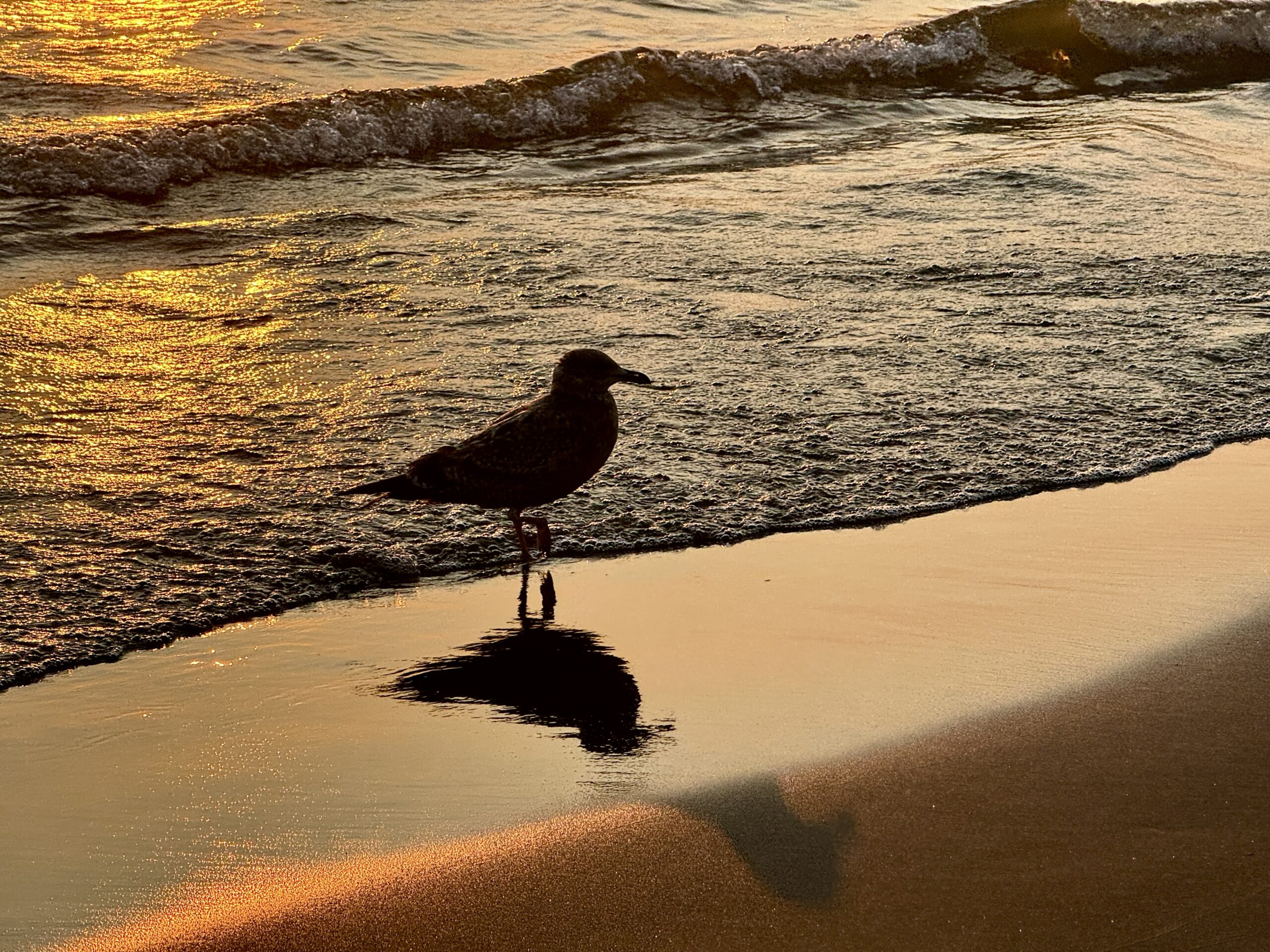
So there I was, standing on the sandy shores of Lake Erie near Cedar Point (Six Flags), trying to capture the picturesque serenity of the beach with live iPhone photos….when a smug seagull strutted into my shot like it owned the place. Naturally, I took a Live Photo. Because if you’re going to accidentally photograph a bird that looks like it wants royalties, you may as well get a few seconds of sass in motion.
This post may contain affiliate links. If you use these links to purchase something I may earn a small commission at no cost to you. You can read my full disclaimer here.
Live Photos on the iPhone look like regular photos, but are really tiny video clips – 1.5 seconds before and after you hit the shutter. So…3 whole seconds of whatever your camera captures. In this case, a seagull walking away with a snarky look and what I’m pretty sure was judgment.
The best part? You can turn that Live Photo into different formats. Here are the options:
Live to Movie (Video Clip)
Yes, you can immortalize a bird doing the bare minimum and still looking fabulous.
How to Do It: Open the Live Photo → tap the 3 dots at the top right of your screen → scroll down → choose “Save as Video.” Congratulations, you’ve got yourself a seagull short film.
Live to Loop
This option loops your Live Photo endlessly. Great for making something look like it’s happening again and again. Slightly creepy. Highly entertaining.
How to Do It: Swipe up on your Live Photo in the Photos app and tap “Loop.” Prepare to get stuck in a birdy time warp.
Live to Bounce
The Bounce effect plays the Live Photo forward, then backward, like a boomerang. It’s the dramatic encore nobody asked for.
How to Do It: Just like Loop – swipe up on the photo and select “Bounce.” Suddenly your photo is a short performance art piece.
Live to Long Exposure
Long Exposure mode blends all the motion into one photo, creating a blur effect. Great for waterfalls. Not so great for sassy birds that won’t stay still.
How to Do It: Again, swipe up on the Live Photo and pick “Long Exposure.” Just… maybe don’t try this with seagulls unless you’re going for modern art.
Below is a video showing all of the options with my sassy seagull
Final Thoughts
Live Photos are where “oops” becomes “ooh.” Whether you’re capturing a scenic sunset, your dog’s accidental sneeze, or a salty seagull with a superiority complex, you’ve got options. So go forth, take weird little video-photos, and make them weirder with effects. Just remember: nature is unpredictable. Especially when it has feathers and attitude.
What is the weirdest or most hilarious thing you have caught in a Live IPhone image?
———————-
I am a spirited Country/Hillbilly/Ghetto/City girl blogger from Chelsea, MI who thrives on adventure, creativity and exploring the world through the lens of my camera (even if it’s my phone). When I’m not chasing sunsets and amazing views, I spend time with my heart dog Maizie. If travel, creativity and a dash of blunt honesty (with the occasional F-bomb) sparks your curiosity, you are in the right place. ~ Stressie Flavis