
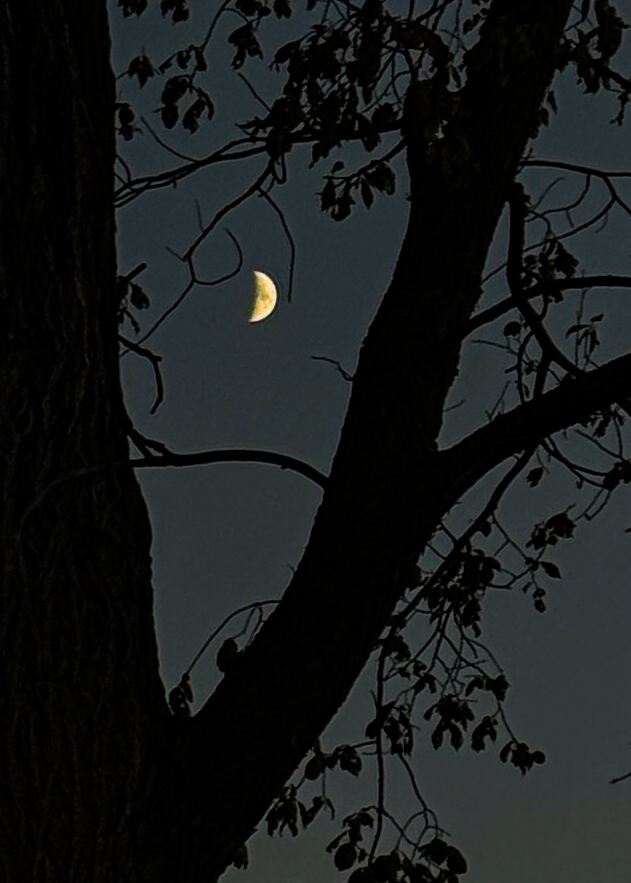
As i was driving home from my MILs house after spending time with family, I was in awe of the way the moon appeared over the fields on the side of the road. It was dark and I was hesitant as to whether I should pull over to take a pic or not. But the more beauty I saw, the more I knew I had to. But how do you get good moon pics with your iphone?
This post may contain affiliate links. If you use these links to purchase something I may earn a small commission at no cost to you. You can read my full disclaimer here.
Things that failed
I pulled over, put my emergency lights and walked toward the field through the ditch with my phone to start taking pics. First few pics I tried were….not good.
I intended to be fast but in auto settings my phone just turned the moon into a bright light in the sky – no details.
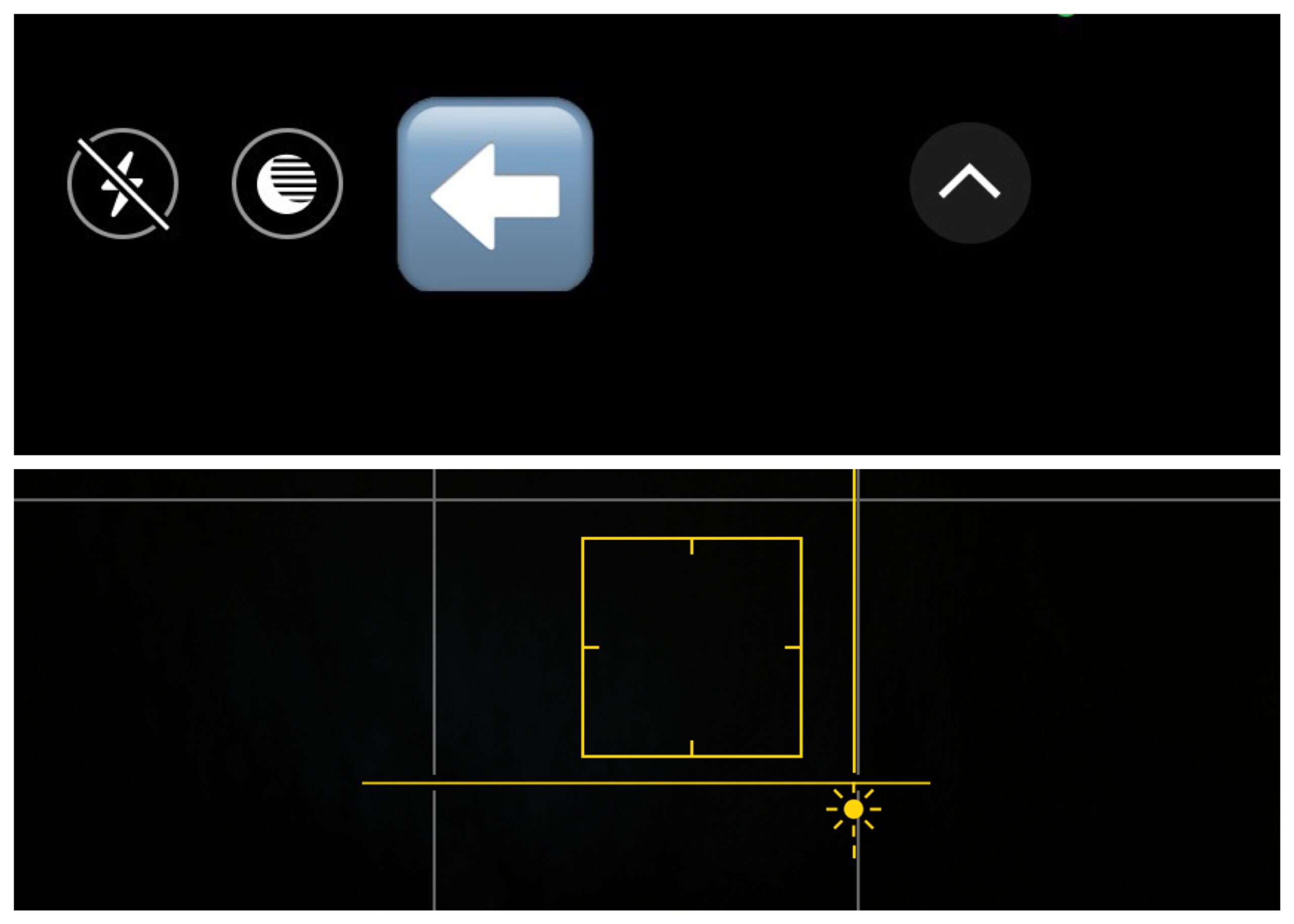
So I first confirmed that night mode was on. it should automatically activate in low light conditions, but if I it doesn’t you can click the icon (circle at top with moon) to activate it. When in use it will turn yellow, with the number of seconds it will take for the shot.
Then I tapped my screen to put the yellow square over the moon that I wanted to be the focus point and then dragged the star next to the focus square to the bottom to darken the image.
Did this work? No. .
What Ultimately Worked
Ok what else?
You can change other settings on your iPhone camera by swiping up on the image type (photo, portrait, etc) to show additional setting options from flash (turned off), night mode (turned on), Live (i almost always leave this on), image styles like standard, rich contrast, warm, etc (I leave mine set to standard), image ratio (4:3 for me), and……an additional way to adjust exposure manually by clicking the button with the + – on it. Adjusting exposure was the game changer for my moon photo.
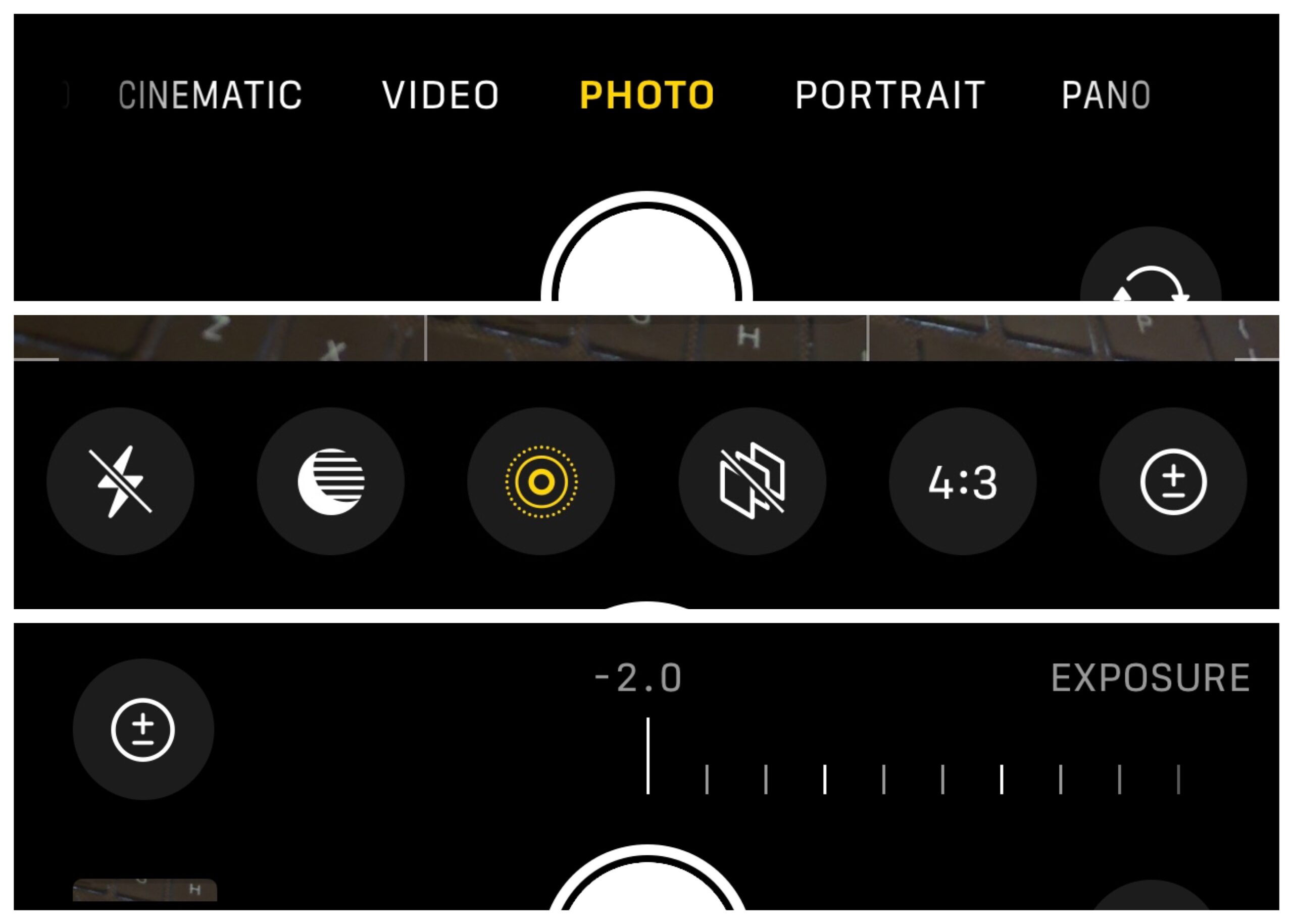
Once I clicked on the +- symbol I swiped the exposure to the lowest it could go (-2.0), tapped the yellow square back over the moon, then pulled the star to the bottom again and……yayyyyyy!!
is the image perfect? No. But I’ll blame that on me, not the phone camera.
In addition to the settings, i did change my point of view sometimes. Everything from the moon above the trees, to it framed by a tree. For my final imaged I zoomed in further, then cropped one of the framed versions. That is my favorite because the focus was supposed to be the moon and I think that one shows exactly that.
Below images show my failure, and where I went from there.
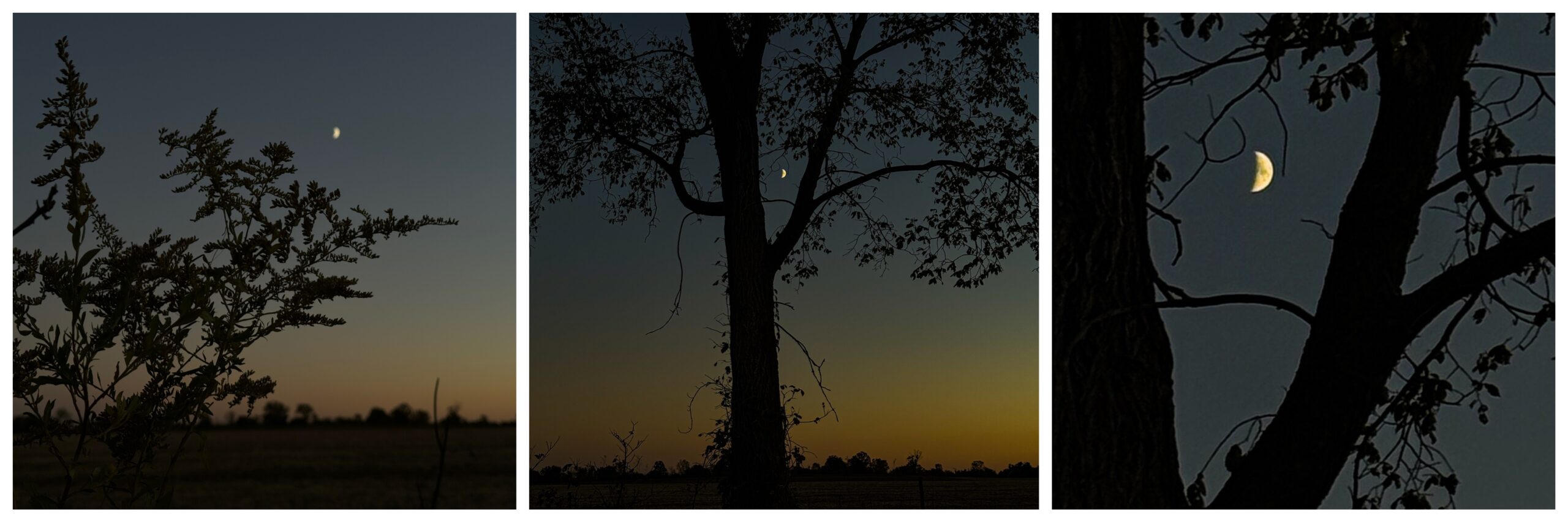
Did I look Sketchy? LOL
As I was walking across the road back to my car, a pickup truck pulled up. The dude asked if everything was ok and I said yes. He looked at the side of the road where I walked from, and then back at my face. While I’m sure he was just offering help, I started wondering if I looked skechy? He said “ok….” (With side eye). And drove off. Did he think I dumped a body in the ditch….? LOL
Regardless of whether I look sketchy, I do need to stop and take photos that make me happy more often.
Did this tip help? If so how you have used it or how you plan to use it in the future (even if it’s sketchy shit LOL)?
———————-
I am a spirited Country/Hillbilly/Ghetto/City girl blogger from Chelsea, MI who thrives on adventure, creativity and exploring the world through the lens of my camera (even if it’s my phone). When I’m not chasing sunsets and amazing views, I spend time with my heart dog Maizie. If travel, creativity and a dash of blunt honesty (with the occasional F-bomb) sparks your curiosity, you are in the right place. ~ Stressie Flavis